Gyms, pilates, yoga, CrossFit and dance
Website for gyms, pilates and yoga studios
Your reels already show your classes, your space and your instructors. tuweb.app turns them into a website for your gym, pilates or yoga studio, CrossFit box or dance academy: classes, schedule, plans, instructors, location and a WhatsApp button so people can sign up. Type your @ and see your free preview.
- Free preview
- No monthly fees
- Visual editor included
What your site includes
The sections of your fitness website
What someone needs to see before coming to their first class.
- 01
Classes
Reformer or mat pilates, yoga, functional training, CrossFit or dance, with the level and length of each class.
- 02
Class schedule
Your timetable by day and hour; if it is not on your profile yet, it appears once you add it.
- 03
Plans
Drop-in class, class packs or monthly membership, and any sign-up fee, based on the information you publish.
- 04
Instructors
Photo, name and certifications for each instructor, only the ones you confirm.
- 05
The studio
Photos of the space, machines and equipment, so people know what your place looks like before they arrive.
- 06
Testimonials
Real comments from your members, only if you have them and confirm them; otherwise the section stays hidden.
- 07
FAQ
What to bring, whether it suits beginners or how many times a week to come: you write the answers.
- 08
Visit us
Address, front desk hours and a Google Maps link, with the same name and phone number across the whole website.
Examples
Gym and studio website examples
This is how websites for pilates and yoga studios, CrossFit boxes, gyms and dance academies made with tuweb.app look.
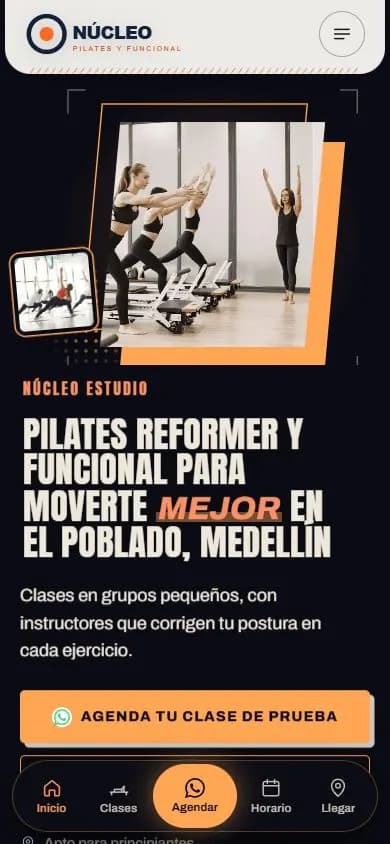
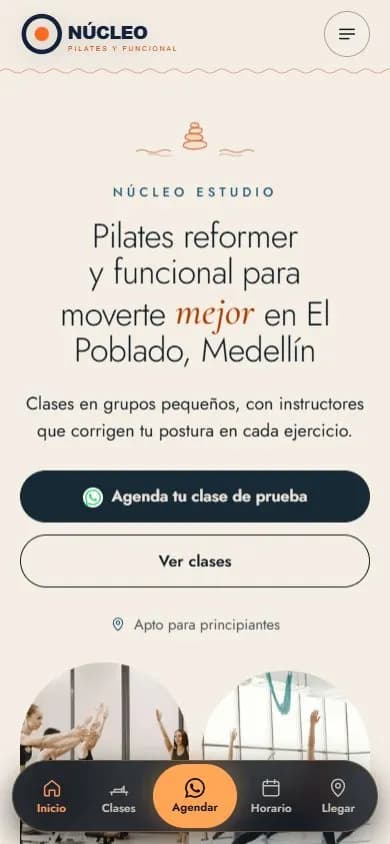
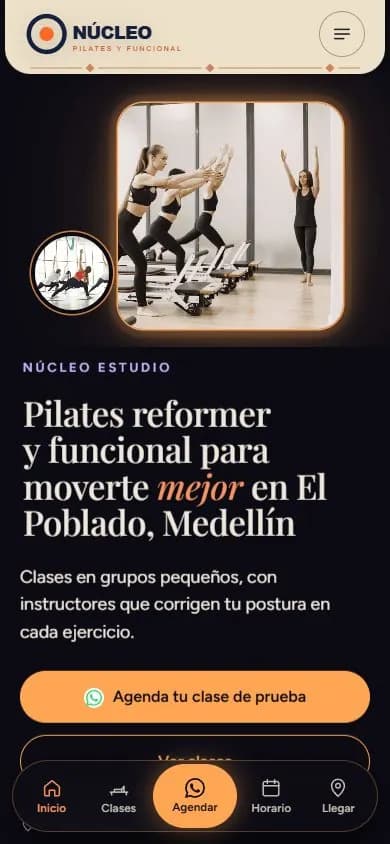
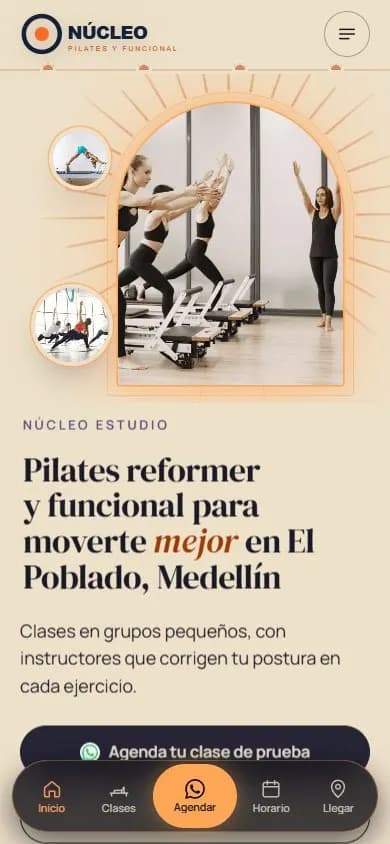
The names on the sample sites are fictional; the ones marked “Made from their Instagram” are real businesses.
Why a website
Why your gym or studio needs a website, not just Instagram
People in Colombia look for a place to train close to home or work: they search for pilates in north Bogotá, CrossFit in Cali or a gym with no long-term contract, and choose from what shows up on Google and Maps. A website for your gym or studio tells Google which disciplines you teach and which neighborhood you are in.
Before signing up, almost everyone asks about the schedule, how long a class lasts, whether it suits beginners and what plans you have. On Instagram that information disappears in stories that last a day; on your website it stays put, one tap away from WhatsApp.
Show up when people search for a place to train nearby
Your website comes with its own title and description, gym structured data (ExerciseGym), a page for each main discipline, the same name, address and phone number everywhere and a link to Google Maps. That way Google and AI search engines understand what you teach and where. Nobody guarantees a ranking, but your studio is ready to compete.
What people search for
- pilates en bogota norte
- pilates reformer en bogota
- yoga en medellin
- crossfit en cali
- gimnasios en pereira
- clases de baile en cali
- pilates en medellin poblado
- gimnasio sin permanencia
Real Google Colombia searches, in Spanish (autocomplete, Oct 2026).
How it works
From your Instagram to your website in three steps
- 01
Type your @
We read your public profile once, with your permission: logo, bio, class videos, opening hours and WhatsApp if you published them. We never ask for your password.
- 02
Pick your design
You see five designs for gyms and studios, already with your colors and photos: a calmer one for yoga or a bolder one for CrossFit.
- 03
Complete and publish
In the editor you add your class schedule and plans, swap a photo for a class video and publish.
FAQ
Frequently asked questions
Can I publish my class schedule on my website?
Yes, by day and hour. If your schedule is not on your profile or in your posts, you add it in the editor; until then, that section stays hidden.
How do people sign up or save a spot from the website?
With the floating WhatsApp button, which opens a chat straight with your studio, or with a phone call. You confirm their spot just like you do today.
Does the website for gyms work for a pilates studio, a CrossFit box or a dance academy?
Yes. The designs are made for training and movement businesses, and in the editor you add or remove sections. A yoga studio can highlight its space; a dance academy, its styles.
Can I add videos of my classes?
Yes. In the editor you tap a photo and replace it with a video. The website is designed mobile-first, and you check how it looks before publishing.
Do I need my own domain for my gym's website?
It is not required. You start for free with yourgym.tuweb.app, use a .com or .com.co domain in your name or connect your own. It goes live right away, with no monthly fees.
More business types
Websites for other types of business
 Restaurants and barsWebsite for restaurants and bars
 Beauty salons and spasWebsite for beauty salons, barbershops and spas
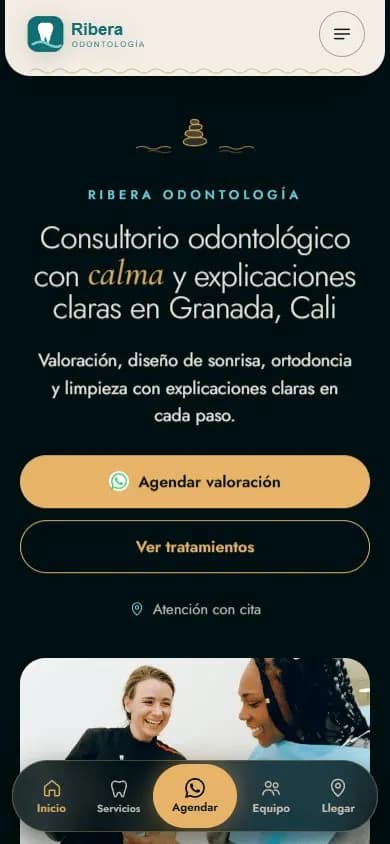 Health practicesWebsite for medical and dental practices
 Personal brandA website for your personal brand
 Lawyers and law firmsWebsite for lawyers and law firms
 Coaches and mentorsWebsite for coaches
 Service businessesWebsite for service businesses
 Instagram shopsWebsite for Instagram shops
 Content creatorsWebsite for content creators
See your studio online
Type your gym or studio's Instagram @ and see your free preview in seconds, with your logo, your colors and your photos.
Enter my @